Tampilkan postingan dengan label financial calculator. Tampilkan semua postingan

Retro Review: Casio BF-80

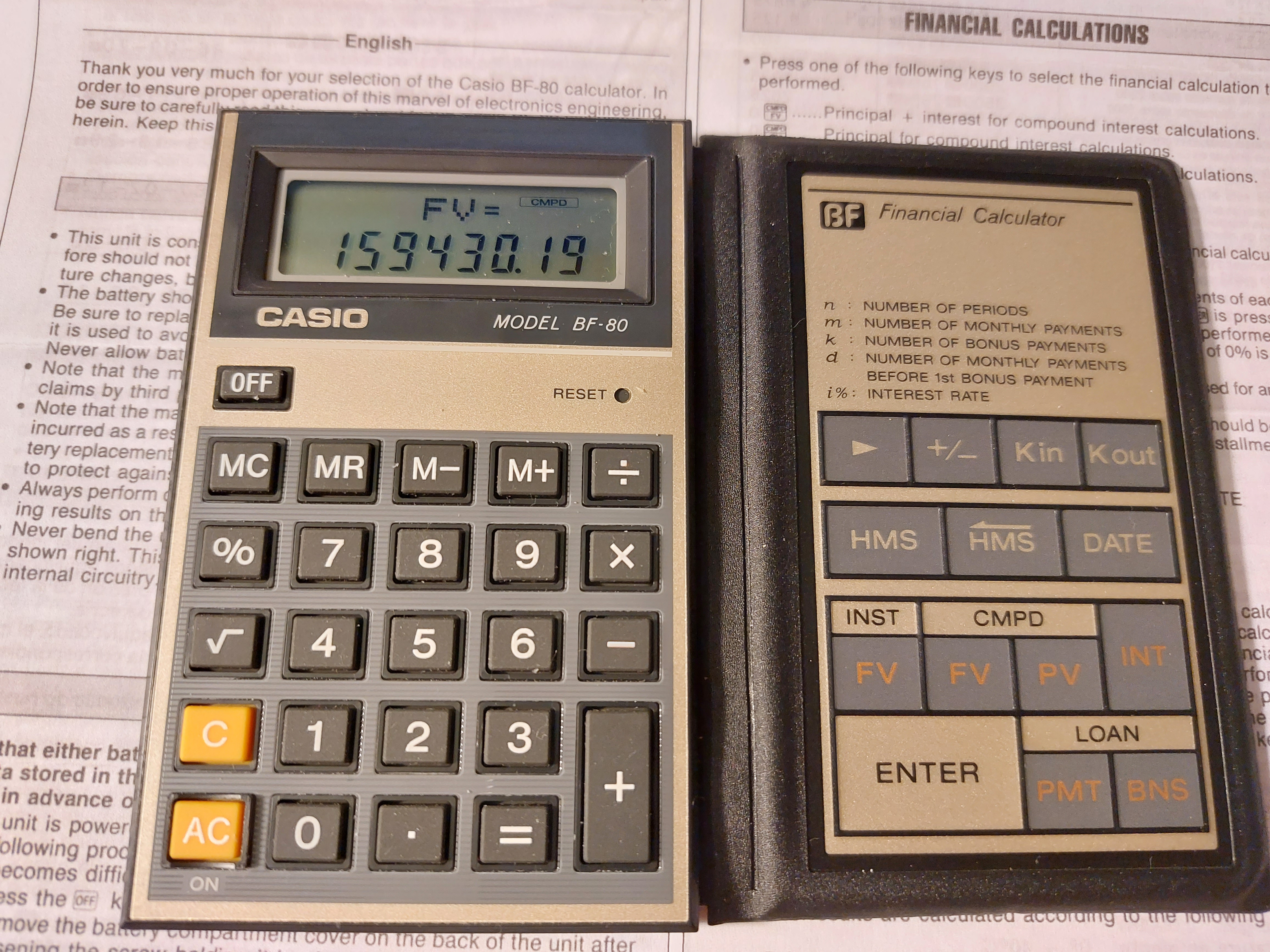
Retro Review:   Casio BF-80


A folding calculator with easy-to-calculate finance prompts.  


Quick Facts


Model:  BF-80  (Easy Banker Financial)

Company:  Casio

Years:  1985 (production run is probably the late 1980s)

Type:  Finance

Batteries: 1 x CR-2016

Operating Modes:  Chain

Number of Registers: 2 User registers:  M,  Kin/Kout 

Display:  2 lines


Features


The BF-80 is a dual-leaf calculator.  On the left side, you have a regular four-function calculator, including memory functions, percent, and the square root function.


On the right side is where all the financial functions the BF-80 are located:


[ Kin ]/[ Kout ]:  The BF-80's other user memory register.  Unlike register M, there is no register arithmetic.


[ HMS ]/[ <HMS ]:  Convert decimal to/from hours-minutes-seconds.  Use the [ HMS ] key to enter parts of time.  


Example:  Add 3.5 hours to 11:30:00

11 [ HMS ] 30 [ HMS ] [ + ] 3.5 [ = ] 

Result:  15°0°0 (15:00:00)


[ DATE ]:  The date key leads two of my favorite functions of all time:  days between dates and calculating a future date.   The format is yy - mm - dd  (no dashes for 21st century dates).  Years are entered as four digits, from 1901 to 2099.  


For most, if not all, calculators, the cash flow convention is not used.  


INST-FV:  Calculates the future value of an annuity.  Interest rate is entered as periodical rate. Note that deposits are made at the beginning of each period (annuity due).  The INST indicator turns on. 


Example:  I pay $500 a month in an account that pays 5% interest for 10 years.

[ INST FV ]   (INST indicator is on)

PMT?  500 [ ENTER ]

i%?  5 [ ÷ ] 12 [ = ] [ ENTER ] 

n?  10 [ ÷ ]  12 [ = ] [ ENTER ]

FV= 77964.641

Pressing [ INT ] gives the interest earned:  17964.641.


CMPD-FV:  Calculates the future value of a lump sum (present value).  The CMPD indicator turns on, and INT gives the accumulated interest.


CMPD-PV:  Calculates the present value of a future lump sum (future value).  The CMPD indicator turns on, and INT gives the accumulated interest.  


Both CMPD calculations use this equation:

FV = PV * (1 + i%)^n


LOAN-PMT:  Calculates the monthly payment of a loan due at the end of each month.  The loan is to paid without a balloon payment.  The LOAN indicator turns on.


PV?:  amount to be financed

i%?:  annual interest rate

m?:  number of monthly payments


Example:  What is the monthly payment of $8,293.00 loan with 6% interest over 6 years?

[ LOAN PMT ] (LOAN indicator is on)

PV? 8293 [ ENTER ]

i%?  6 [ ENTER ] (no dividing by 12 in LOAN mode)

m? 6 [ × ] 12 [ = ] [ ENTER ] (still enter the number of months)

PMT = 137.43896

Pressing [ INT ] gives the accumulated interest paid on the loan:  -1602.6051


LOAN-BNS:  Calculates the bonus payment of a separate (side) loan given the number of bonus payments and it's cycle.


k = number of bonus payments

d = number of months to the first bonus payment

PV = bonus loan amount

i% = annual interest rate of the bonus loan


Example:  What is the payment of a bonus loan of $4,412.00 with 3% interest.  The firs bonus cycle is every 3 months from the loan date, with 15 bonus payments.

[ LOAN BNS ]  (LOAN indicator is on)

PV?  4412 [ ENTER ]

i%?  3 [ ENTER ]  (annual rate, like LOAN-PMT)

k?  15 [ ENTER ] (number of bonus payments)

d?  3 [ ENTER ] (number of months prior to the first bonus payment)

BNS = 328.21123

Pressing [ INT ] gives the accumulated interest:  -511.16857


I guess that this is for loans where payments are due every few months instead of every month.  


The Percent Key


The percent key on the BF-80 works like most Casio calculators with a percent key.   


To add a percent:  n [ × ] p [ % ] [ + ]

To subtract a percent:  n [ × ] p [ % ] [ - ]

To find a percent ratio:  part [ ÷ ] whole [ % ]

Percent change:  new [ - ] old [ % ]


A Neat Calculator - An 1980s Version of a Smartphone App 


For it's time, the BF-80 offers calculator with quick, prompting calculations for the on-the-go business and finance student or profession.  Today, in the 2020s, the calculator of this time definitely would  be a smartphone app.  


Surprisingly buying a BF-80 was incredibly reasonable.   


Coming up:


July 11 - July 15, 2022:  TI-58 and TI-59 Week

Next Regular Blog:  July 10, 2022, then  July 23, 2022


Eddie


All original content copyright, © 2011-2022.  Edward Shore.   Unauthorized use and/or unauthorized distribution for commercial purposes without express and written permission from the author is strictly prohibited.  This blog entry may be distributed for noncommercial purposes, provided that full credit is given to the author. 


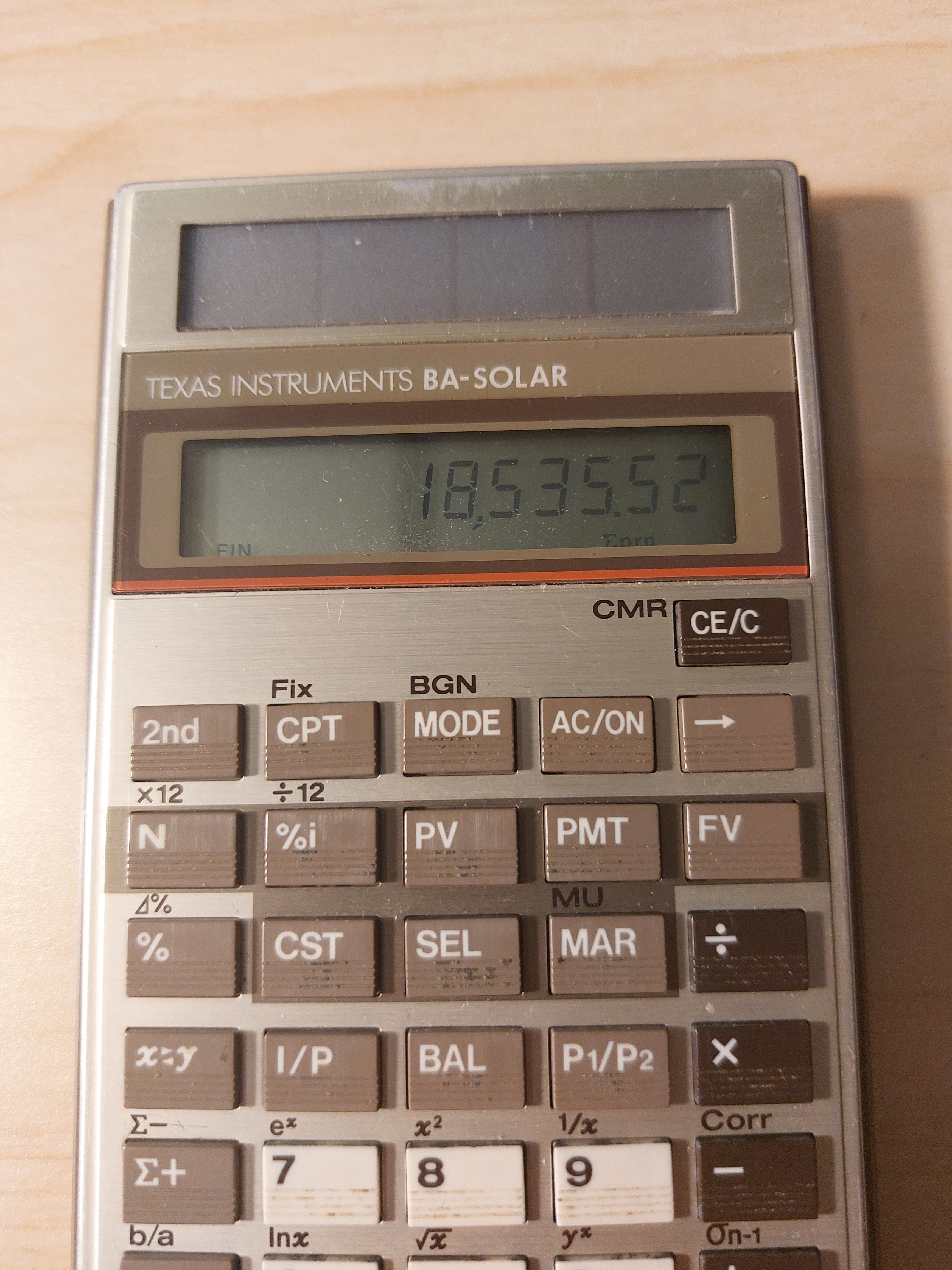
Retro Review: Texas Instruments BA-Solar

Retro Review: Texas Instruments BA-Solar


Finance + Solar + 1980s


Quick Facts


Model:  BA-Solar

Company:  Texas Instruments

Years:  1986 - 1990s; a refresh , BA-35 SOLAR was produced 1996-2000s

Type:  Finance

Batteries: Solar 

Operating Modes:  Chain

Number of Registers: 1, |MEM|

Display:  1 line, 10 digits


Features


The [ MODE ] key is used to toggle between three modes:


FIN Mode:  Time Value of Money  (FIN indicator)


N:  number of payments

%i:  periodic interest rate

PV:  present value

PMT:  payment

FV:  future value


The current cash flow convention is not used, instead the following equation is (I think) used in solving time value of money calculations: 


PV = FV *  SPPV + PMT * USPV

SPPV = single present value factor

USPV = present value annuity factor


We also have amortization functions:


BAL:  balance after any payment

I/P:  interest and principal at any payment

payment_1 P1/P2 payment_2 I/P:  cumulative interest and principal


There are ×12 and ÷12 aids, but we still have to press [ N ] and [ %i ] to register the values, they are not automatic.  


STAT Mode:  Statistics  (STAT indicator)


The BA-SOLAR (and the later BA-35 SOLAR) has both single variable statistics and linear regression.


In linear regression, use the [x<>y] key to change between x and y.   The key will also be used to switch between results.  


Prediction values can be calculated with x' and y'.


The equation used for linear regression is y = a*x + b,  a = slope, b = intercept.


Profit Mode (no indicator)


The profit mode makes the following solver available:


CST:  cost

SEL:  sell

MAR:  margin

MU:  markup


Functions Available in All Modes


Percent Calculations (%):

Add %:  x [ + ] y [ % ] [ = ]

Subtract %:  x [ - ] y [ % ] [ = ]

Multiply %:  x [ × ] y [ % ] [ = ]

Percent Ratio:  part [ ÷ ] whole [ % ] [ = ]

Percent Change:  new [ 2nd ] ( ⊿% ) old [ = ]


rate >EFF payments/year:  convert to effective rate

rate >APR payments/year:  convert to APR/nominal rate


Mathematics:

Natural logarithm and antilogarithm:  ln x, ^x

Square and square root

Power

Reciprocal


Final Thoughts


This is a great basic financial calculator.  I have both the BA-SOLAR and BA-35 SOLAR.   To be honest, I like the keyboard of the original BA-SOLAR better, the keys feel a bit more solid and responsive.  Even though they are no longer in production, the BA-SOLAR is still reasonably available on sites such as eBay and other online stores.  


Source:


Woerner, Joerg.  "Texas Instruments BA-SOLAR"  Last Updated December 5, 2001.   http://www.datamath.org/Sci/Modern/BA-SOLAR.htm   Retrieved May 19, 2022.


Eddie


All original content copyright, © 2011-2022.  Edward Shore.   Unauthorized use and/or unauthorized distribution for commercial purposes without express and written permission from the author is strictly prohibited.  This blog entry may be distributed for noncommercial purposes, provided that full credit is given to the author. 

Retro Review: TI Investment Analyst

 Retro Review:   TI Investment Analyst


Today's review will be on a specialized calculator that had a very short life in the market:  the Texas Instruments Investment Analyst.  


Quick Facts:


Model:  Investment Analyst

Company:  Texas Instruments

Years:  1979-1980

Type:  Specialized Finance

Batteries: 2 x LR44

Operating Mode:  Chain


Features: Stocks, Bonds, Options


*  The [CIF] key:  which calculates (1 + i%)^n.  Used in time value of money calculations.


* Days between Dates allowing for four digit years.  The manual states that this function is accurate for the range March 1, 1900 to February 28, 2100.  The date format is mmdd.yyyy.  Example:  March 28, 2022 is 328.2022.


* The [ 2nd ] (Sec Typ) sets the security type mode.  


Stocks (Security Type A)  


We can solve for the purchase price (buy), selling price (sell), and yield.   Variables include:


**  the number of days until the first dividend is paid (B→P), the number of days from 

**  the last dividend until the stock is sold (P←S)

**  capital gains tax rate and income tax rate 

**  commissions rate when the stock is bought and sold

**  dividends, and dividend growth rate


**  The Investment Analyst has two modes for stocks:  annual yield and ownership period yield.  The latter mode is simpler.  


Bonds (Security Type B)


The keys to operate calculations for bonds are the mostly the same set of keys used for stocks.  We still solve for price (buy), selling price (sell), and yield. 


**  Annual yield mode is automatic

**  payments during investments are now coupons, which the coupon rate is entered with the [ CPN ] key

**  commissions, capital gains tax rate, and income tax rate are still included


I do believe that bonds make it into later calculators, such as the TI BA II Plus.   


Options (Security Type is "Blank")


Generally the same concept, solve for price (buy), selling price (sell), and yield; with variables including commissions, capital gains tax, and income tax.   What is different is the use of call and put prices.  


I realize that this is a short introduction, as I plan to learn more about the features of the Investment Analyst.  


Keyboard


The keys are little hard, careful pressing of them are required. I find this to be the case of TI's calculators from the late 1970s/early 1980s. Thankfully the keyboard is still workable.  


I wonder if the keyboards were lot better, calculators outside of the "mainstream" such as the Investment Analyst and the TI-54 (which I reviewed in 2018) would have been given another edition.  


Closing Thoughts


This is a curious calculator that fit a specialized niche: stocks, bonds, and options.   Not too many calculators go into this area, I believe Calculated Industries had one dedicated to Wall Street calculations.  I have a feeling I am going to learn a lot about investments from going through the well detailed manual.  


This is definitely a collector's item.  


Source:

"Texas Instruments Investment Analyst"  Datamath Calculator Museum.  December 5, 2001.  Last retrieved March 4, 2022.    http://www.datamath.org/Sci/Slimline/Investment-Analyst.htm   


Until next time,


Eddie


All original content copyright, © 2011-2022.  Edward Shore.   Unauthorized use and/or unauthorized distribution for commercial purposes without express and written permission from the author is strictly prohibited.  This blog entry may be distributed for noncommercial purposes, provided that full credit is given to the author. 


Backlink 9999 Traffic Super

Order Now...!!!!